I spent some time this afternoon calling my representatives with this simple question:
Hi, my name is Jon Corbett, I’m a constituent in Miami and I’d like to know what the [Rep./Sen.] is doing to restrict the NSA’s collection of the phone records of Americans.
Here are the responses I got:
- Rep. Ileana Ros-Lehtinen (R-FL) – I called the D.C. Office at (202) 225-3931 and my call was immediately answered by a live person. The Representative has not come out with a position on the issue. I pressed that 2 weeks after the occurrance of one of the biggest scandals in recent years, that it would be shocking that the Rep. has not yet come out with an opinion. The woman on the phone apologized and said she had no further information. She took my address and recorded my position.
- Sen. Marco Rubio (R-FL) – I called the D.C. Office at (202) 224-3041. My first call got a “we’re busy” message, and an immediate re-dial got me a live person. The friendly young man on the other end assured me that the Senator was outraged over the domestic spying and had press releases on his Web site. I walked through the Web site with him, and there are a ton of press releases, but almost all of them are on immigration. I clarified for the phone rep that while immigration is important, as a U.S. Citizen, protecting my constitutional rights is more important to me. The man told me that there will be a public statement on the site soon and I could check YouTube. He took my area code and recorded my position. I took to YouTube and found this interview — the tl;dw version is that the Sen. feels that releasing more information about the program would make Americans comfortable with it.
- Sen. Bill Nelson (D-FL) – I called the D.C. Office at (202) 224-5274. My first 3 calls got a “we’re busy” message. I called the Miami office, and they told me I needed to try D.C. I tried D.C. about half a dozen more times and finally got through. I was told that the Senator has not taken a position on the issue. I pressed like I did with Rep. Illeana, and was told that the phone rep was not authorized to speak on the matter. She took my ZIP code and recorded my position.
So there you have it. Two out of three don’t really care, and the third flip-flops on the issue (no, Sen. Rubio, the problem is not that I have insufficient information, the problem is that the NSA has too much information). Perhaps they don’t care because not enough people have called them. Let’s work on that. 🙂
Find Your Congressperson here, find your Senators there. Give them a call at their D.C. offices, use the script above or make up your own, and make sure they record your position.
 In the computer security world, “social engineering” is the process of persuading a person to give up a password or other important piece of data by tricking them. Typically done either by e-mail (or other electronic message, like Facebook) or phone, the person on the other end will pretend to be your IT help desk, your bank, some kind of investigator, or other person with whom you may trust the data. (When done by e-mail, this is more specifically known as “phishing.”)
 When Facebook was released, I was a college student at one of the dozen or so universities first given access to Facebook. I was probably somewhere around the 50,000th user of the now 100,000,000, and I’ve watched it evole from a PHP script where you could find the cute girl down the hall knowing only her first name (and read her whole profile without even being friends!) to a massive corporation that connects nearly every young person in the western world.
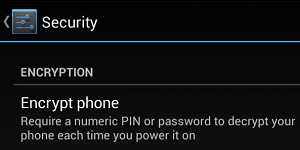 Not all phones can do this, but most Android phones can. By now, you know that encryption is the process of locking data with a key such that (when done right) even serious adversaries cannot unlock it. You can encrypt data for transit (such as when you view a Web site over HTTPS), and you can encrypt data for storage. The latter protects your data in the event your device is stolen (or “seized”).
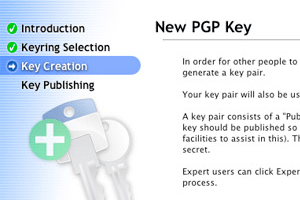 We’re now half way through the No Surveillance State Month, and what a busy month it’s been! Part 15 discusses an important yet technically difficult topic: encrypting your e-mails as they are in-transit.
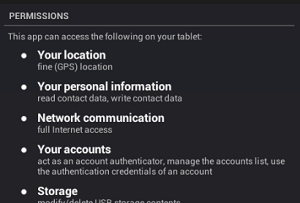 As “apps” become more and more ubiquitous on all our devices, it becomes all that much more important to keep track of what your apps are doing. If you use an iPhone or an Android device, every time you install an app, you get a warning like the one pictured here.
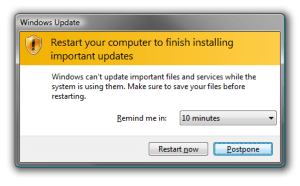 Another pretty simple one for you. If you surf the Web, but never update your operating system, Web browser, and plug-ins (especially Flash and Java), you’re asking for it. Every few weeks, another “exploit” is published — exploit being a fancy term for “way to take over your computer.” Software manufacturers (generally) work very hard at putting out “patches” — software to fix the software and make the exploit no more.
 Professional Troublemaker ®